Everything Trilbio does for your agents.
A calm overview in your menu bar, a nudge when an agent needs you, your usage limits, a Mac that stays awake while they work, and a record of the hours they put in.
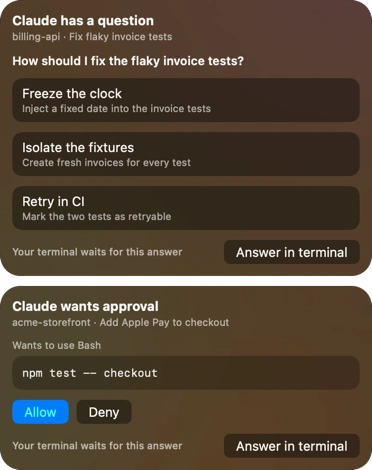
Answer your agents without hunting for the terminal.
The moment an agent asks for permission or asks a question, Trilbio shows it. Allow, deny or pick an answer right there, and the agent carries on.
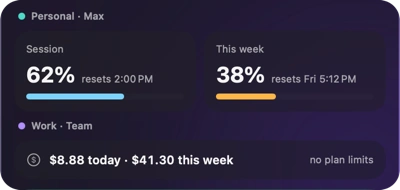
Never hit a limit by surprise.
Your 5-hour and weekly usage, when each resets, and an alert before you run out.
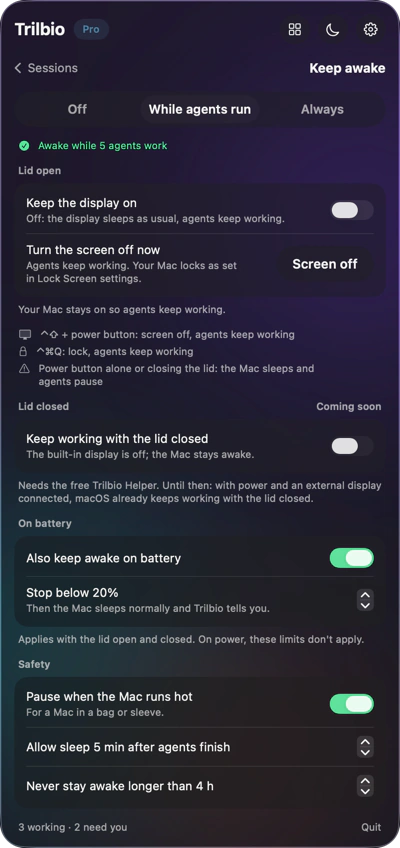
Awake while they work. Asleep when they're done.
Turn the screen off and walk away. Guards for battery, heat and time.
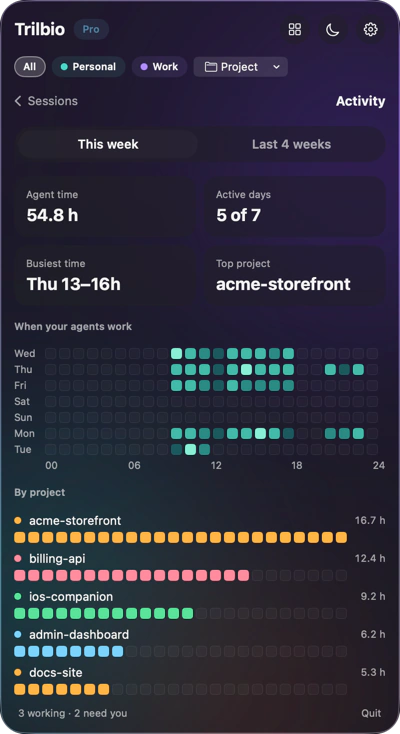
See the hours they put in.
When your agents worked, on which projects, and how much of it happened while you were away. Four weeks back, from day one.
The details, one click deeper.
Folder, branch, current tool, helpers, tokens and cost. Then straight back to the session in your terminal.
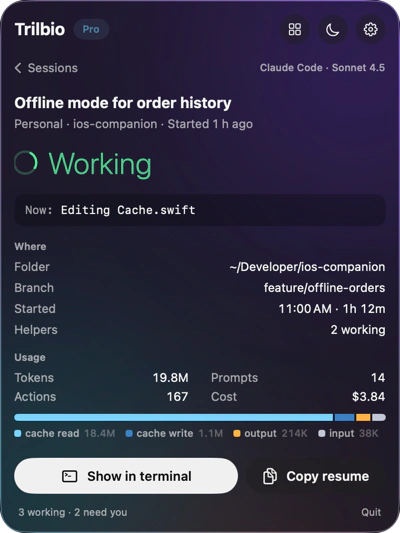
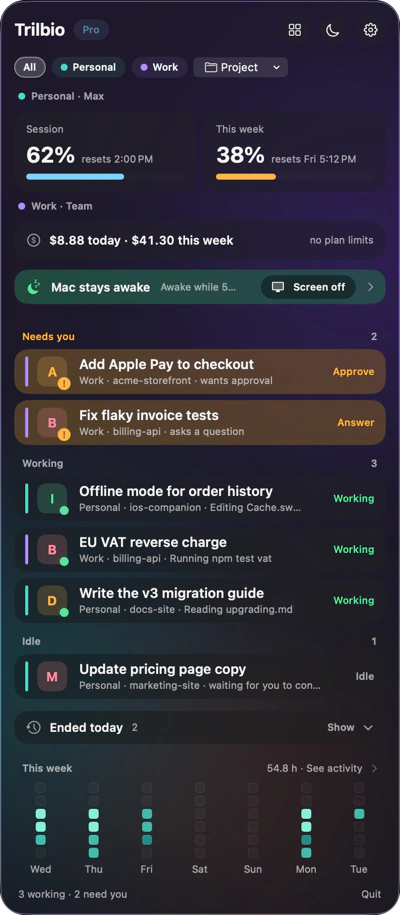
The panel: every session at a glance
Click the agent in your menu bar and see all your agent sessions, grouped the way you think about them: Needs you, Working and Idle, with sessions from earlier today folded away below.
- Session title, project folder and git branch
- What the agent is doing right now, and for how long
- Filter by project or by account, each with its own colour
- Open the panel with a keyboard shortcut you choose
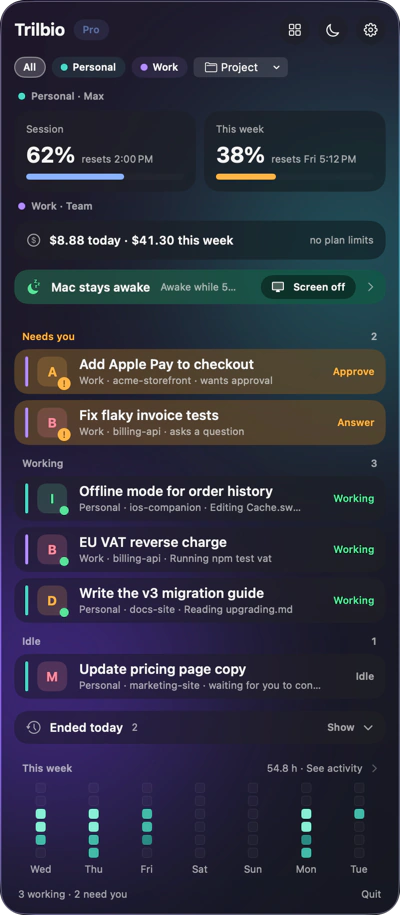
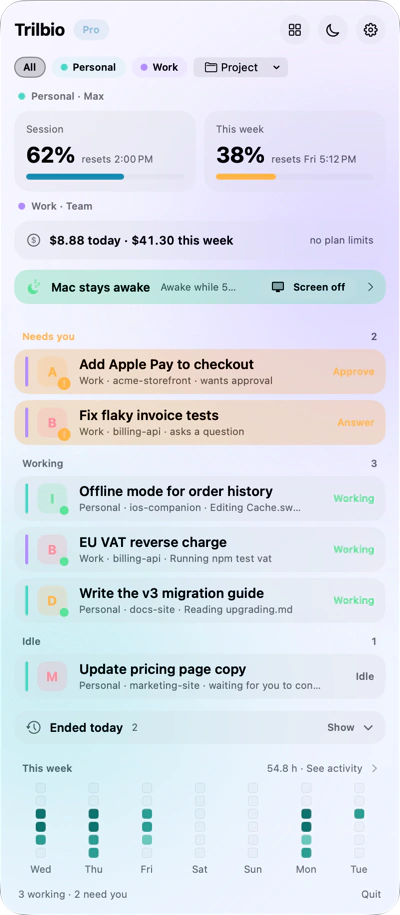
Three looks, one calm panel.
Night Glass, Aurora and Frost, built on macOS 26's Liquid Glass. The app speaks English and Dutch, following your Mac's language.
Private by design
Sandboxed, no account, no analytics, no network for features. What it reads.
Back to work in one click
Show a running session in its terminal, or continue an ended one with claude --resume in the right folder.
Several accounts
Personal and work side by side, each with its own colour, limits and filter. Cowork tasks read-only.
Let your agents work. Trilbio keeps watch.
Free to download, every Pro feature free for the first 7 days, then a one-time €12.99 if you want to keep them. Nothing is charged automatically.
Requires macOS 26 or later. Works with Claude Code today; Codex, Gemini CLI and Cursor are coming.