Know the moment an agent needs you.
Agents stall on one small question: may I run this command, which option do you want? Trilbio tells you right away and lets you answer without finding the terminal.
A card or a notification, whichever fits
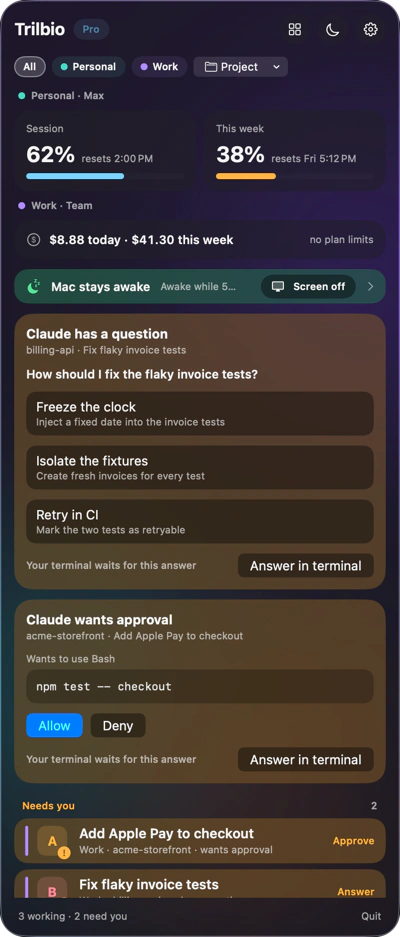
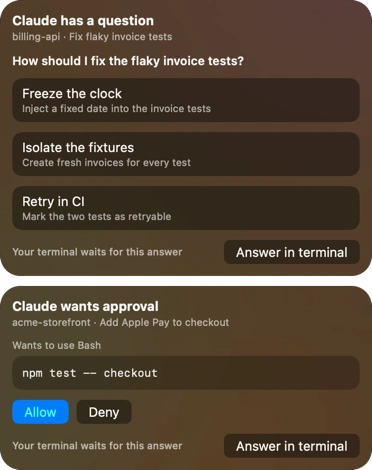
Simple events use a regular macOS notification with buttons: Claude wants to run npm test, you tap Allow. Questions with several options get Trilbio's own floating glass card under the menu bar, because a notification can't hold a list of choices.
- Permission requests: Allow or Deny, the way you would in the terminal
- Questions: pick one of the agent's options
- Finished: a quiet notification when an agent is done (free)
Only when you're not already looking
If you're working in the terminal where the agent runs, you'll see its prompt anyway and Trilbio stays quiet. Choose how Trilbio takes over prompts: always, only when you're not in that terminal, or never. For Ghostty and cmux it even checks which tab you're in.
- No answer from you? Claude Code's own prompt in the terminal still works
- The menu bar icon's dot turns amber while something waits
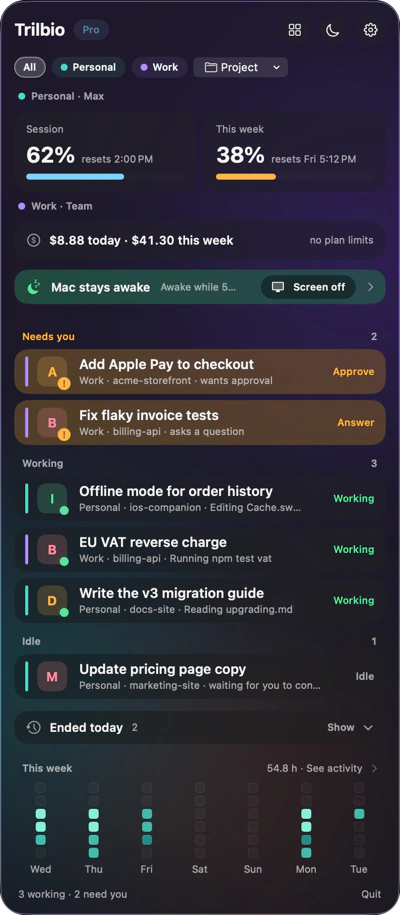
- A "Needs you" section sits at the top of the panel
Why it matters
An agent that waits twenty minutes for a "yes" is twenty minutes of work you don't get back. With Trilbio you can step away, make coffee, or work in another app and still keep your agents moving.
How it works
Trilbio adds a small plugin to Claude Code with your permission. Its hooks tell Trilbio, on your own Mac, when a session needs you. Your answer goes back the same way. Nothing passes through the internet.
Free and Pro
Seeing which agents need you and the "finished" notification are free. Answering from the card or notification is part of Pro, which you can try free for 7 days.
Questions about needs-you alerts
Can I answer Claude Code permission prompts outside the terminal?
Yes. With Pro, Trilbio shows permission requests as a notification or card with Allow and Deny. Your answer is passed to Claude Code through its hook system, exactly as if you had answered in the terminal.
What happens if I don't answer in Trilbio?
Nothing breaks. If you don't answer, or Trilbio isn't running, Claude Code falls back to its normal prompt in the terminal.
Will I get notified twice if I'm in the terminal already?
No. By default Trilbio only takes over prompts when you're not in the terminal (or tab) where that agent runs. You can change this to always or never in Settings.
Does this work with several Claude Code sessions at once?
Yes. Each request shows which session and project it comes from, so you can answer the right one even with many agents running in parallel.

Let your agents work. Trilbio keeps watch.
Free to download, every Pro feature free for the first 7 days, then a one-time €12.99 if you want to keep them. Nothing is charged automatically.
Requires macOS 26 or later. Works with Claude Code today; Codex, Gemini CLI and Cursor are coming.